
BUYER ASSURANCE
Answer a buyer's AI questions with material you reviewed
When a customer asks how you govern AI, a workspace admin can publish one page: framework progress, the AI systems you list, approved documents and, if you choose, aggregate training figures. Nothing appears until someone publishes it.
 Trust Center / Publish
 Live product
Publish your Trust Center from the product
An AI Trust Center that answers a buyer's governance questions
Publish framework progress, the AI systems you use and approved documents on one page. Keep it private, make it public or approve each access request.
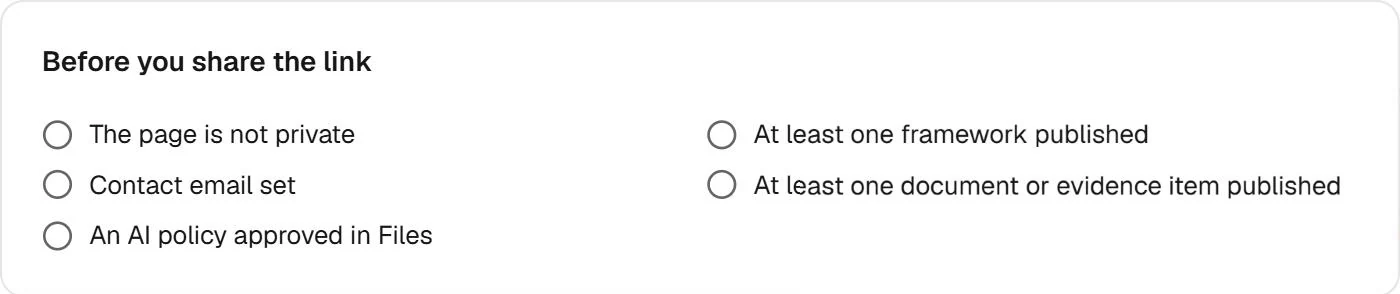
A checklist before you share the link
Fencia tells you what the page still lacks: visibility, a published framework, a contact email, a document or evidence item and an AI policy approved in Files.
Nothing appears until someone publishes it
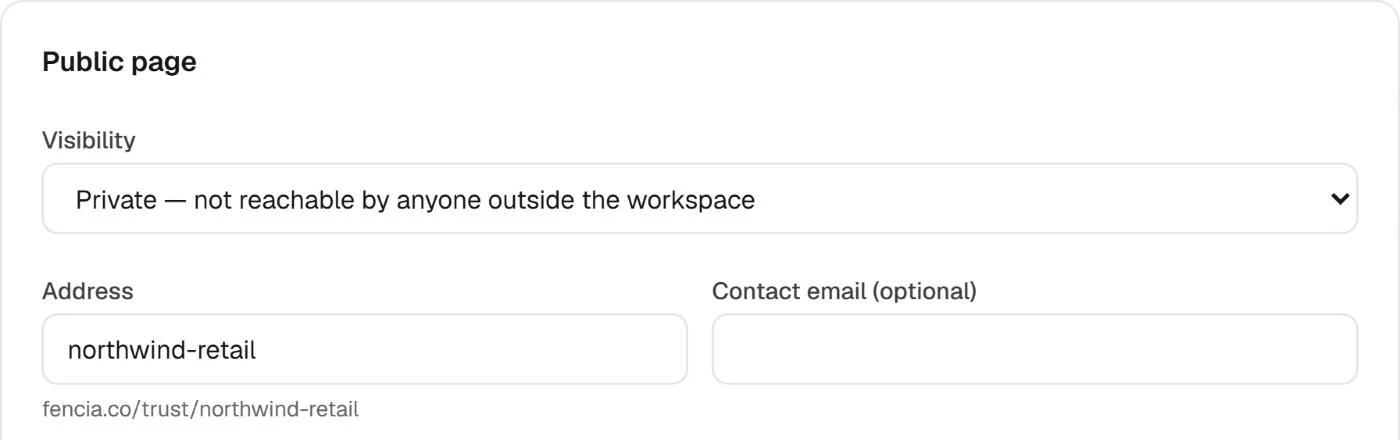
Private, public or on request
Keep the page private while you prepare it, make it public for anyone with the link, or show it and ask visitors to request access to documents and evidence.
Admins are told about each request and decide
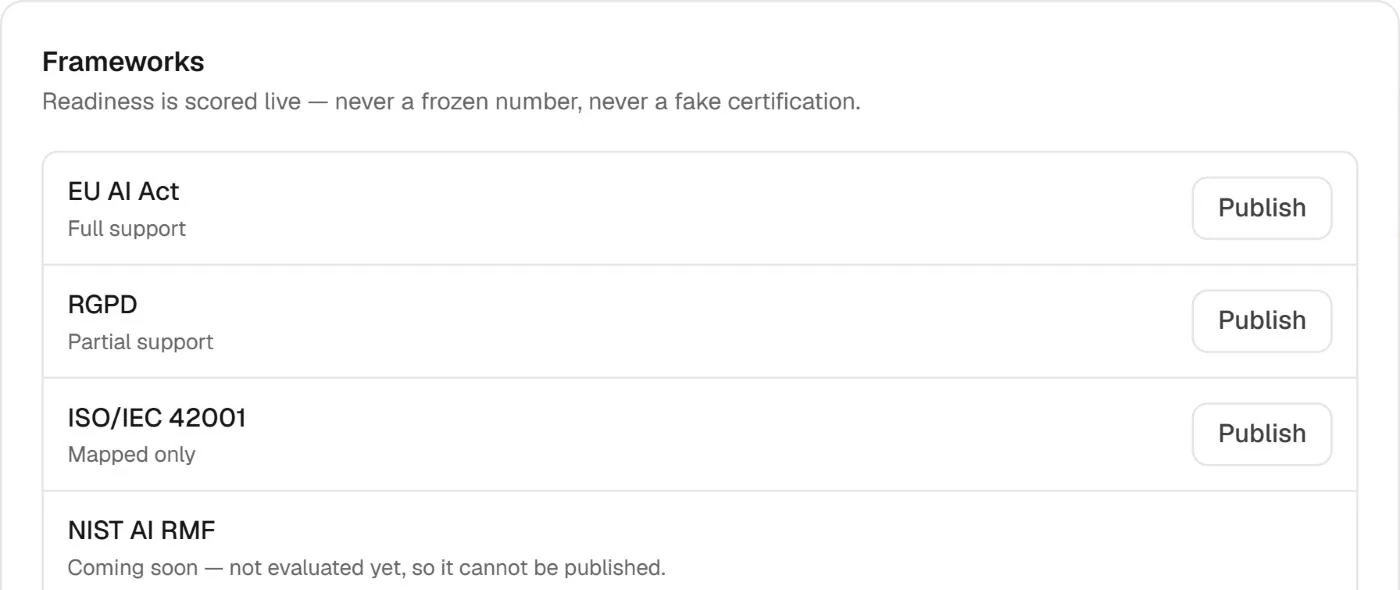
Live readiness, never a frozen number
Publish the frameworks you work on. Their progress is calculated live by the same engine as your dashboard, with each framework's level of support stated.
Downloaded documents are PDFs stamped with the visitor's email and the date
Real Fencia screens from a test workspace. Names and data are fictional.
Before you publish
The page shows only what a workspace publishes. Progress is a work indicator, not a certification or an auditor's opinion.
Can visitors see our findings?
No. Findings, integration records and evidence quotes never appear on the page.
How do access requests work?
A visitor asks for access, admins are told and decide. An approved visitor gets a personal link by email.
Can I show AI training figures?
Yes, optionally: the share of staff with current AI training, never names.
Is the progress a certification?
No. It is a work indicator with each framework's level of support stated, not a certification or an auditor's opinion.
Set up your Trust Center
Choose what to publish and who can see it, and send the next security questionnaire a link instead of a spreadsheet.