An AI agent can gain a new tool or broader permissions in a single configuration change. See its posture, review the baseline and follow the changes that matter.
Claude Code had a reviewed configuration. A change expands its terminal permissions. See what the person approving the agent needs to know.
Agent MonitorPRODUCT WALKTHROUGH
Agent Monitorsupport-apiIllustrative demo
GITHUB / AGENTS
Claude Code · support-api
Monitored
.claude/settings.jsonmain
01{
02"permissions": {
03"allow": [
04 "Bash(npm test:*)"
05 ]
06 }
07}
support-apiReviewed baseline
Agent
Claude Code
Repository
support-api
Baseline
Reviewed configuration
Demonstration dataNo changes to your systems
FROM SIGNAL TO ACTION 01 / 03
The source. The context. A starting point.
Fictional data. Workflow illustration, not a connected session or a dashboard screenshot.
CONNECTED TO YOUR TEAM’S WORK
GitHubClaude CodeMCP configuration
WHAT YOU DO WITH FENCIA
From the first signal to an answer you can explain.
Explore the screens and the work behind each result.
01
Where it came from is part of the answer.
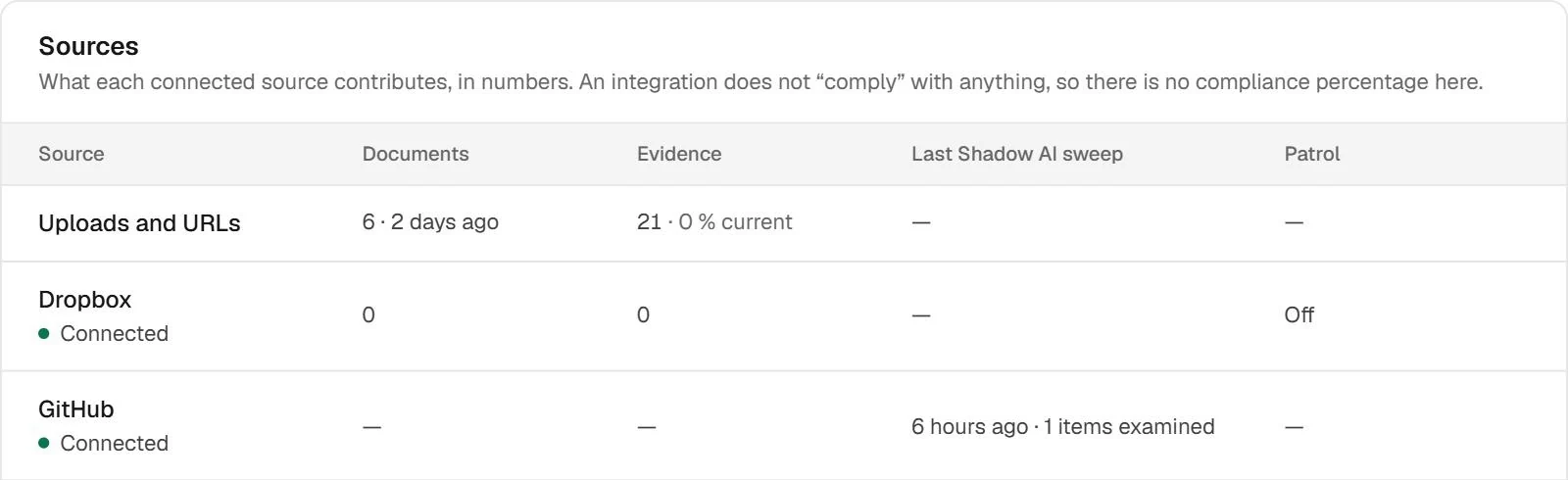
An isolated signal makes your team investigate again. The sources view brings together provenance and what each connection contributed, helping distinguish a source without findings from one that needs attention.
Give context to the team reviewing the permission.
Broader configuration does not explain why it changed. Bring drift into the review workflow: what it now permits, what your team had reviewed and which justification is missing. Defense helps prepare the work; the decision remains human.
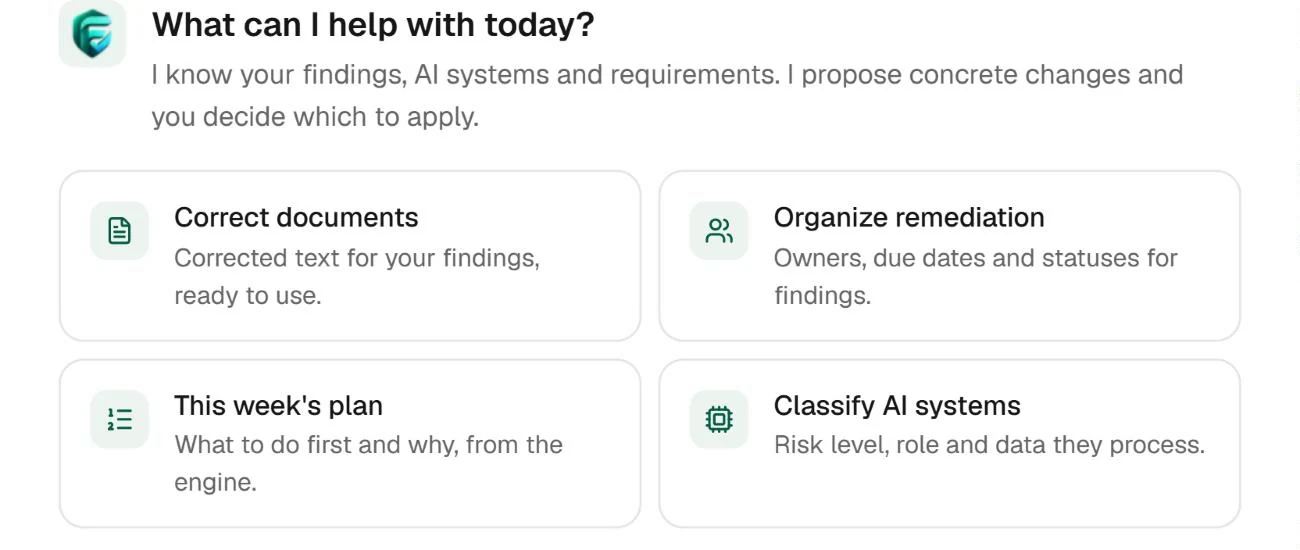
Review assistant entry point. The specific permissions comparison appears in the demo above.
03
Keep something more useful than an alert.
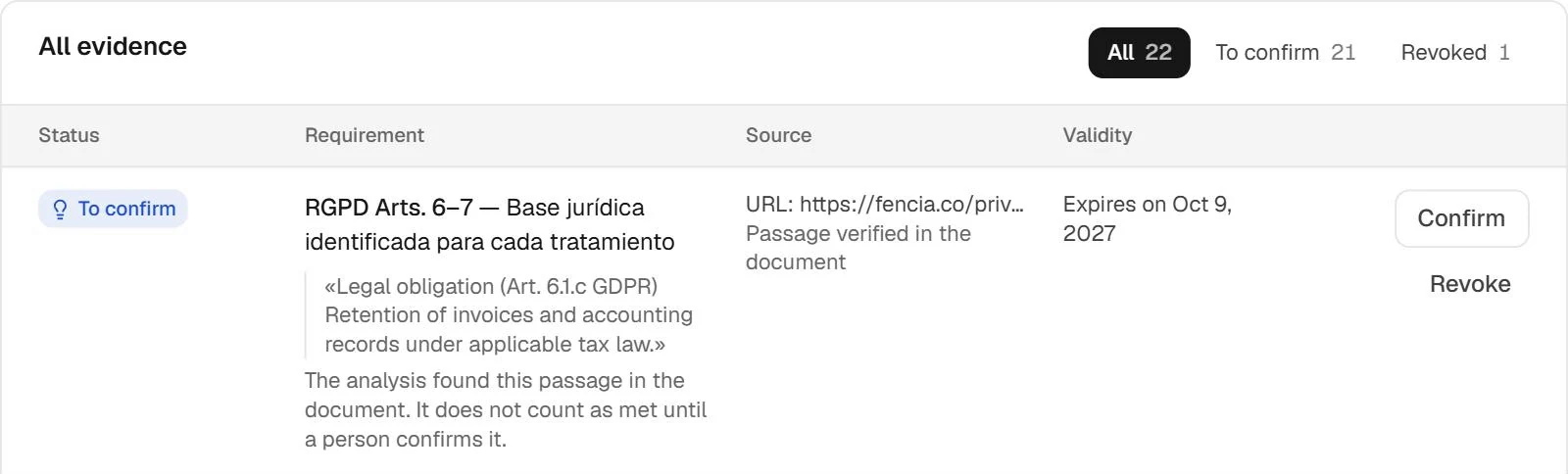
When someone else picks up the work, they need the source, context and available evidence. The library brings workspace material together for review without relying on scattered conversations or the memory of the person who started the case.
Real Fencia captures from a test workspace. Fictional data; shared views complement each feature’s specific demo.
BEFORE YOU START
Answers for your team.
Does it monitor Claude Code, Codex and Cursor equally?
No. Configuration review depends on supported files. The described runtime hooks are for Claude Code; that runtime monitoring is not offered for Codex or Cursor.
How does Claude Code connect?
Each customer configures their own installation with hooks and a workspace ingestion token. Runtime functionality is in beta and pending acceptance with a real session.
IN YOUR TEAM’S WORKFLOW
An approved agent can change after approval.
Bring agent configuration into the same review as the code it works with. For Claude Code, optional hooks add activity and policy checks to that picture.
01
Find agent configuration
Review supported agent configuration and MCP servers in connected GitHub repositories.
02
Approve a baseline
Record the reviewed configuration and surface drift so a new permission does not disappear into a commit.
03
Connect your own Claude Code
Each team connects its own installation using workspace ingestion credentials and hooks. Runtime policy can observe or enforce supported rules.
A clear scope before connecting.
Claude Code runtime is beta and still awaiting a live-session acceptance test. Hooks send the full event over HTTPS; Fencia minimises it in memory before storing metadata. If Fencia is unreachable, Claude Code continues. Codex and Cursor do not have runtime monitoring.
Do customers share a Fencia Claude subscription?
No. Each customer uses their own Claude Code account and installation. Fencia connects that installation to their workspace; it does not provide a shared Anthropic licence.
Start with one source and a real question.
Review how this workflow fits your team’s work with us.

 Enlarge