Every AI system. An owner. A record you can explain.
When a buyer asks who owns an AI system, the answer should not live in five documents. Connect purpose, risk, evidence and decisions in one living register.
Example data. A detected tool stays a candidate until a person confirms its facts.
01
An owner and purpose for each system.
02
Context to decide which requirements to review.
03
Evidence linked to the system it describes.
Live product
From the inventory to what needs review.
AI Register gives each system context: what it does, who is responsible, what needs review and which evidence supports the decision.
CONNECTED TO YOUR TEAM’S WORK
Manual entryDiscoverEvidenceReview
WHAT YOU DO WITH FENCIA
From the first signal to an answer you can explain.
Explore the screens and the work behind each result.
01
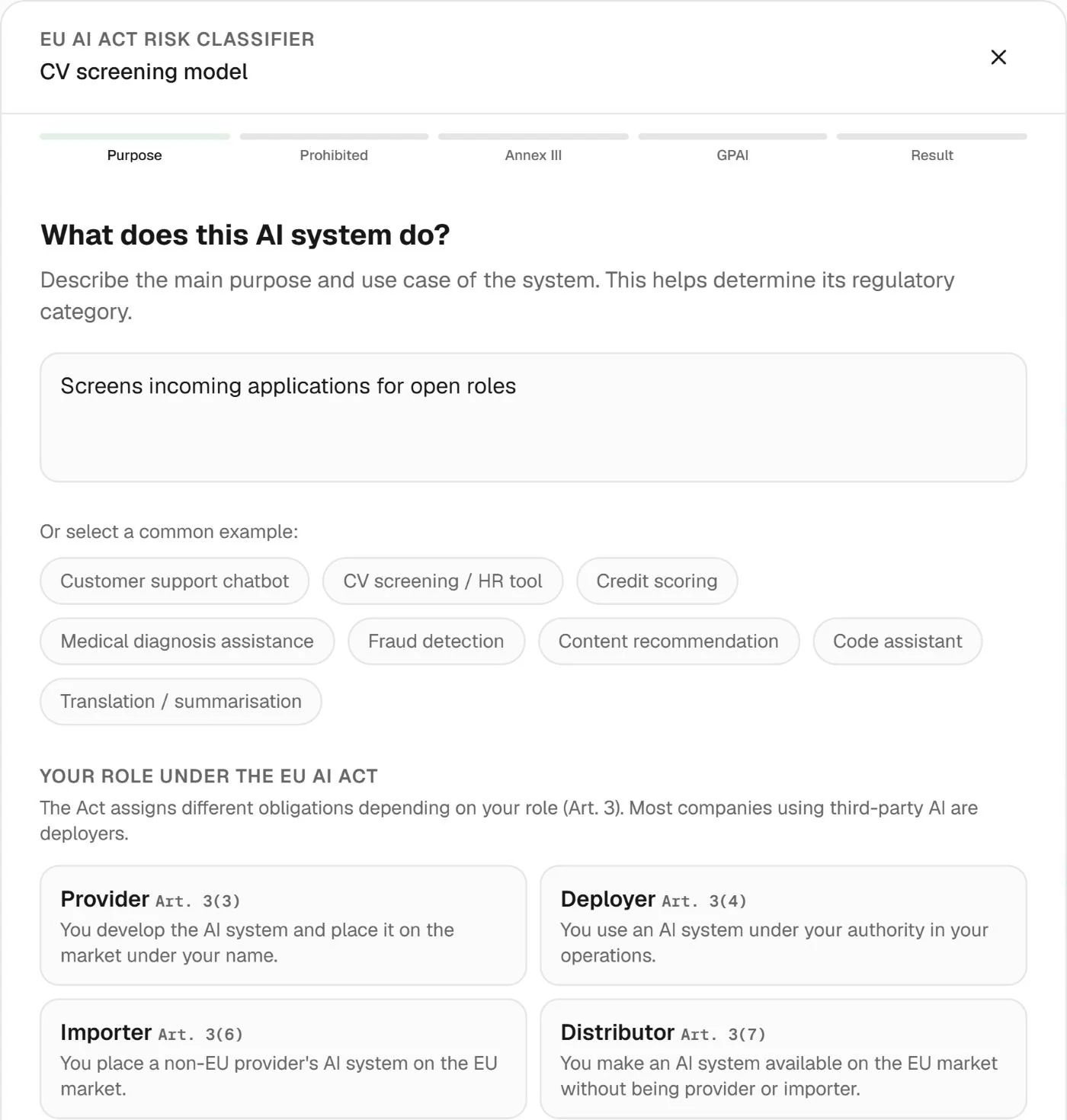
Purpose first. Classification follows.
Two teams can use the same technology for very different purposes. Record the use case and your organisation’s role before reviewing suggested risk. That context helps determine which questions and requirements matter.
Result: classification grounded in the system’s use.
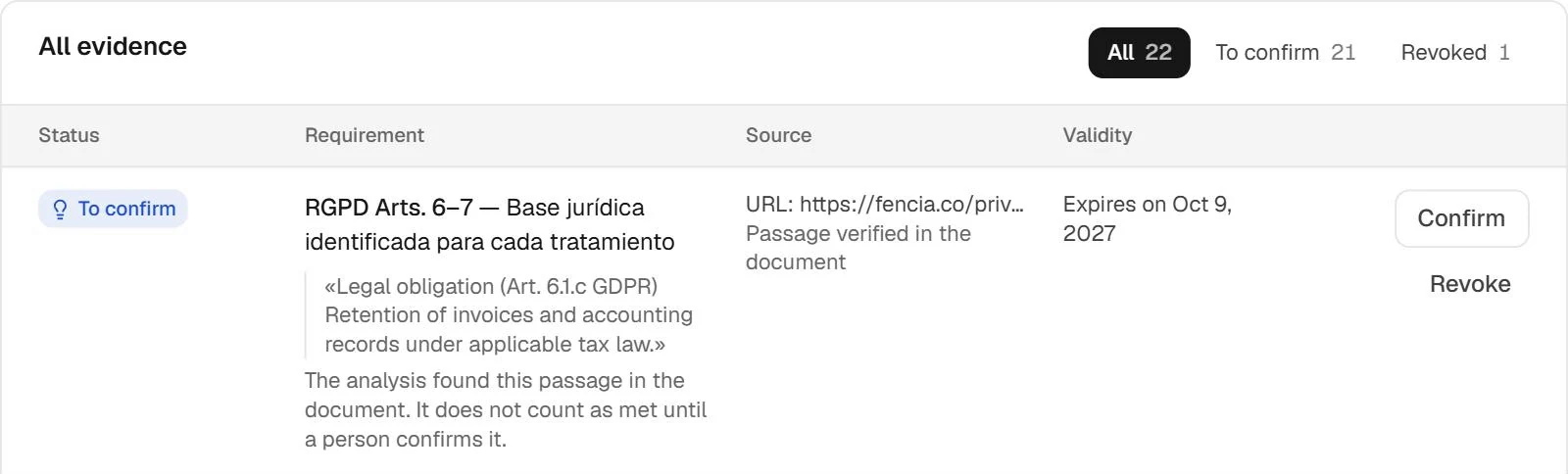
When someone else picks up the work, they need the source, context and available evidence. The library brings workspace material together for review without relying on scattered conversations or the memory of the person who started the case.
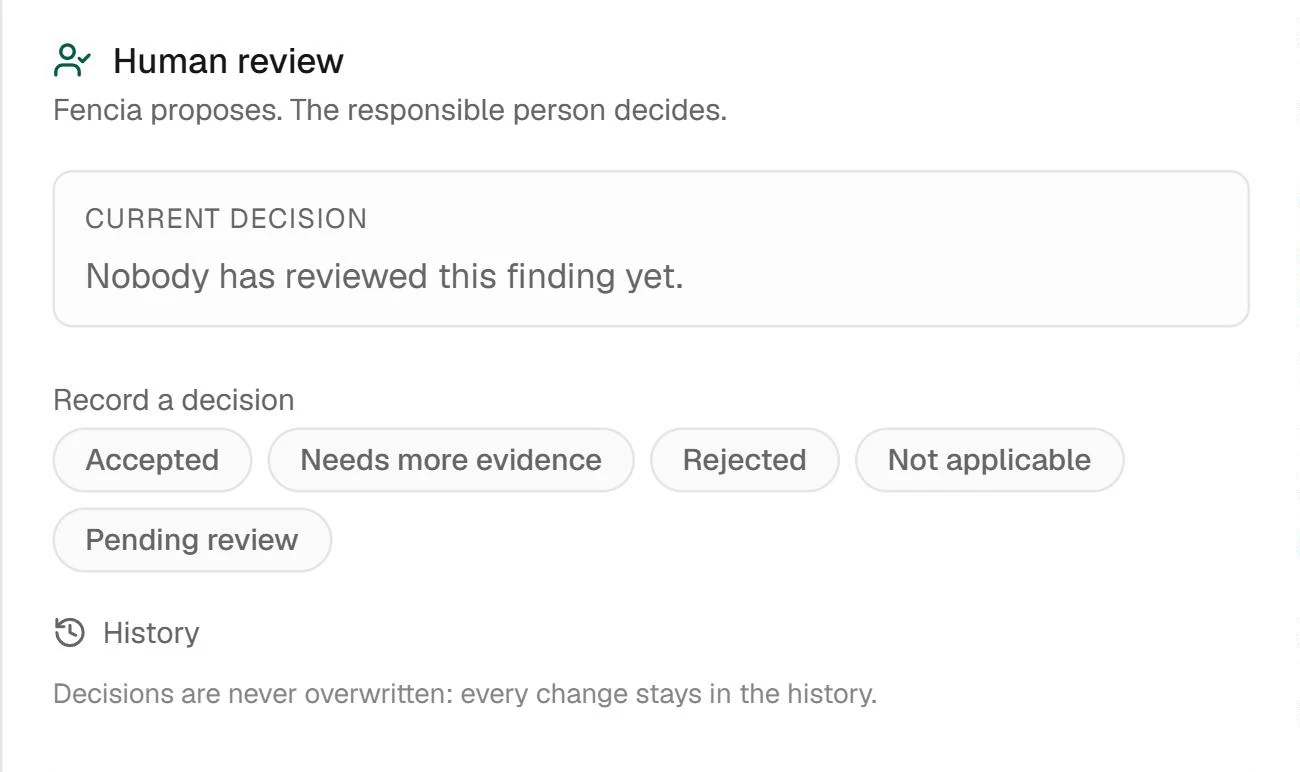
Open the detail, check the source and decide what it means for your organisation. Review separates the agent’s proposal from a decision confirmed by your team; both need context.
Example document finding review; illustrates the shared review workflow.
Real Fencia captures from a test workspace. Fictional data; shared views complement each feature’s specific demo.
BEFORE YOU START
Answers for your team.
Can it cover internal systems and third-party tools?
The register describes the system and your organisation’s role. Purpose and context are recorded for each case, even when systems share a vendor.
Does the inventory prove compliance on its own?
No. It organises systems and review work. Applicability, classification and evidence sufficiency require human assessment.
IN YOUR TEAM’S WORKFLOW
A list of tools is not enough to answer a customer.
AI Register gives each system context: what it does, who is responsible, what needs review and which evidence supports the decision.
01
Start with a discovery or a known system
Register existing AI and review discoveries from connected sources without losing their provenance.
02
Complete the context
Record purpose, provider or deployer role, owner and risk. Review suggested classifications with the responsible person.
03
Keep the review connected
Follow evidence, open cases and recorded decisions from the system’s record as its use changes.
A clear scope before connecting.
Suggested risk and framework mappings support a review; they do not replace a legal classification. Lifecycle and assessment extensions require the corresponding deployment and setup.
Can I register AI that Fencia has not discovered?
Yes. Add a system manually and document its purpose and owner. Discovery enriches the register; it is not the only way to build it.
Start with one source and a real question.
Review how this workflow fits your team’s work with us.

 AI inventory / Registered systems
 Live product
 Enlarge