
SCHEDULED REVIEW
Find out when a change raises a new finding
Connect the folder where your policies live and Fencia re-checks them on the schedule you choose. If a change opens a gap, you get the exact passage; if someone fixes it, the finding closes on its own. Unchanged files are not re-analysed and use no credits.
 Active Patrol / Drive · Policies
 Live product
A patrol that checks every day
Scheduled document review that keeps your AI policies checked
Pick a folder and a schedule once. Fencia re-checks the files that changed, adds new findings to your queue and emails you a report when a patrol finds issues.
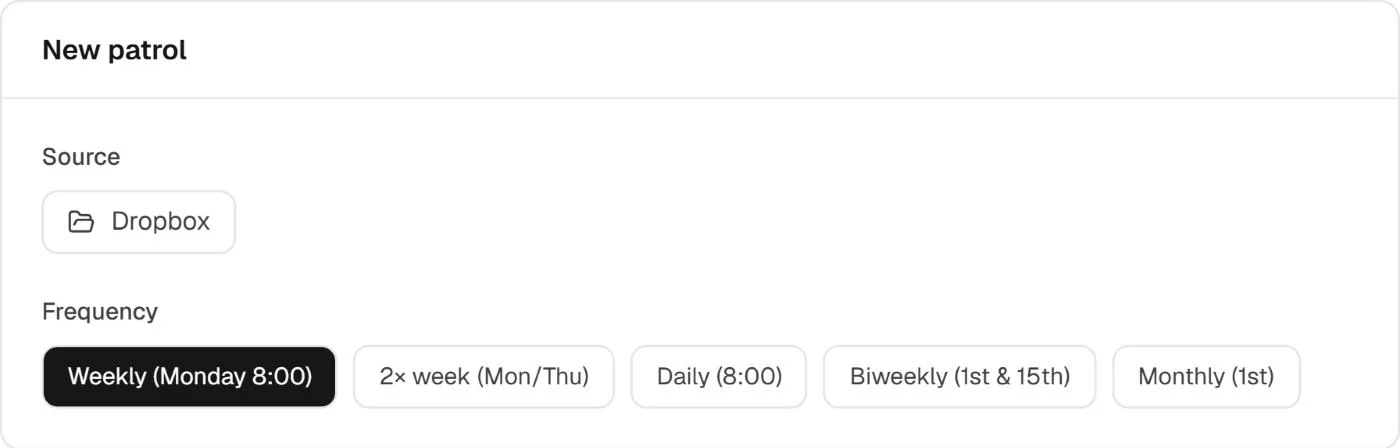
Choose the source and the rhythm
Weekly, twice a week, daily, every two weeks or monthly. Files that did not change since the last run are not analysed again and use no credits.
Scheduled at 8:00 UTC at most once a day, or on demand with Run now
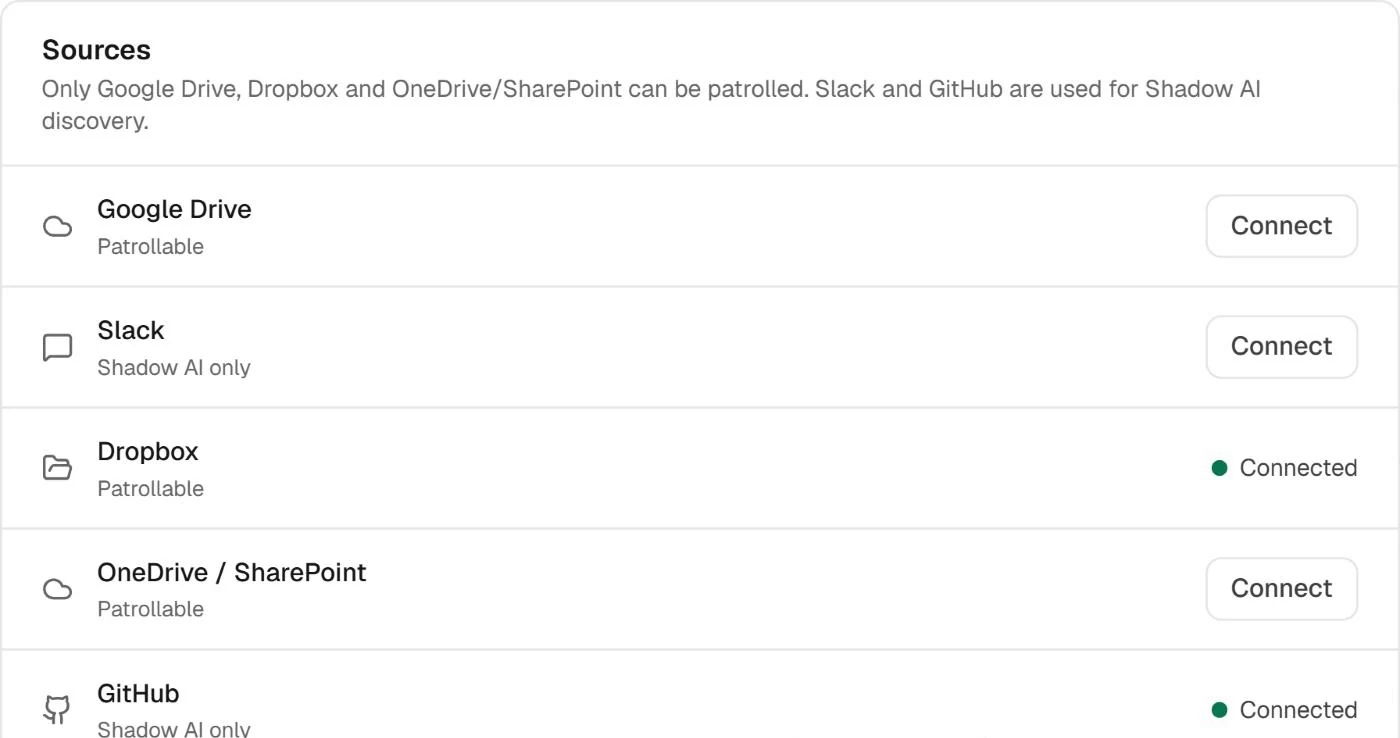
Google Drive, Dropbox or OneDrive/SharePoint
Patrol the folders where your policies already live. Google Drive is available from Starter; Dropbox and OneDrive/SharePoint from Team. Slack and GitHub feed Shadow AI discovery instead.
Each source says whether it can be patrolled before you schedule it
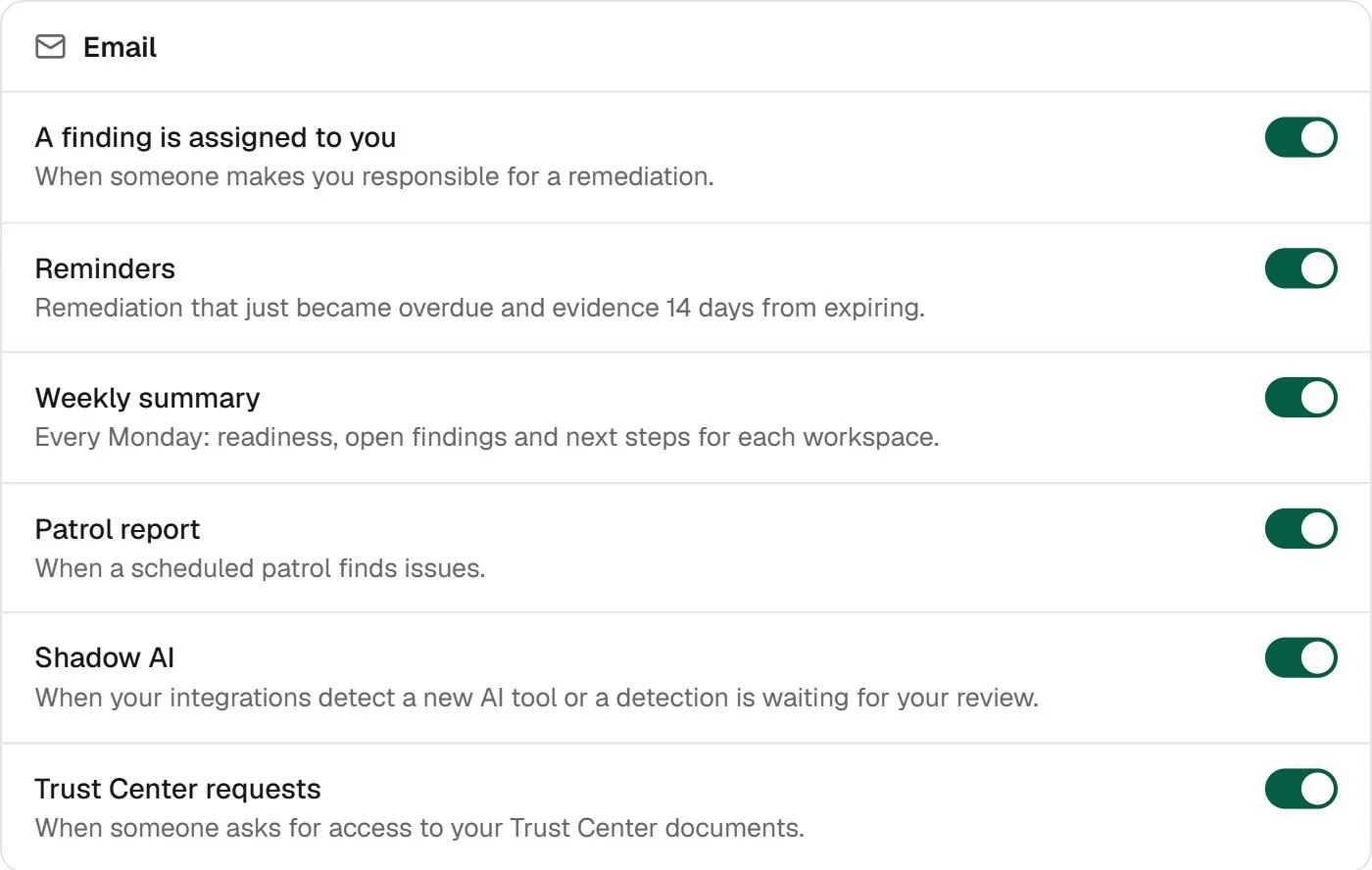
A report when a patrol finds something
The patrol report arrives by email when a scheduled run finds issues. The Monday summary brings readiness, open findings and next steps for each workspace, and every alert has its own switch.
Slack messages can be set up per workspace in Integrations
Real Fencia screens from a test workspace. Names and data are fictional.
Before you turn it on
Scheduled runs happen at most once a day and only check the folders you connect. Permissions and unsupported files can limit a run.
Does it use credits every time it runs?
Only for the files that changed since the previous run. Patrols draw on their own monthly allowance: 30 reviews on Starter, 200 on Team and 500 on Consultant.
Which sources can it check?
Google Drive from Starter; Dropbox and OneDrive/SharePoint from Team. Slack and GitHub are used to detect Shadow AI, not for the document patrol.
Does it alert me as soon as someone edits a document?
Not instantly. Scheduled runs happen at most once a day, at 8:00 UTC, so a change made mid-morning shows up in the next run. To check a folder right away, press Run now on the patrol.
What if a file cannot be read?
The run summary says so and the patrol carries on with the rest. Permissions and unsupported formats can limit what is checked.
Is it in the free plan?
No. The patrol is part of the paid plans; on the free plan you can analyse documents by hand.
Put your policies on patrol
The patrol is part of the paid plans. Start free by analysing a document, and turn it on when you want Fencia to check for you.