Your teams adopt AI faster than a spreadsheet can follow. Bring signals from code, cloud and workplace apps into one queue, with the source behind every discovery.
#recruitingI use ChatGPT to draft replies to candidates.
Onboarding checklistPaste the ticket into ChatGPT and check the answer.
web-app · package.json"openai": "^4.52.0"
Google Workspace · authorised appsNotion AI · 14 users
To review0
ChatGPTNot registeredUnder review
2 sources · Slack, Drive
Agent: add to the inventoryAdd
OpenAI SDKNot registered
1 repository · GitHub
Notion AINot registered
Authorised app · Workspace
Example data. A mention, a dependency or an authorised app is a lead for a person to review, not proof of use.
01
Signals with their source, ready for review.
02
Confirmed uses that enter the register.
03
A shared queue with traceable decisions.
Live product
Find a signal. Decide what enters the register.
Discover brings the first clues together. Review the source, confirm the use case and turn a discovery into an owned AI system.
CONNECTED TO YOUR TEAM’S WORK
GitHubAWSAzureGoogle WorkspaceMicrosoft 365
WHAT YOU DO WITH FENCIA
From the first signal to an answer you can explain.
Explore the screens and the work behind each result.
01
From discovery to a record with context.
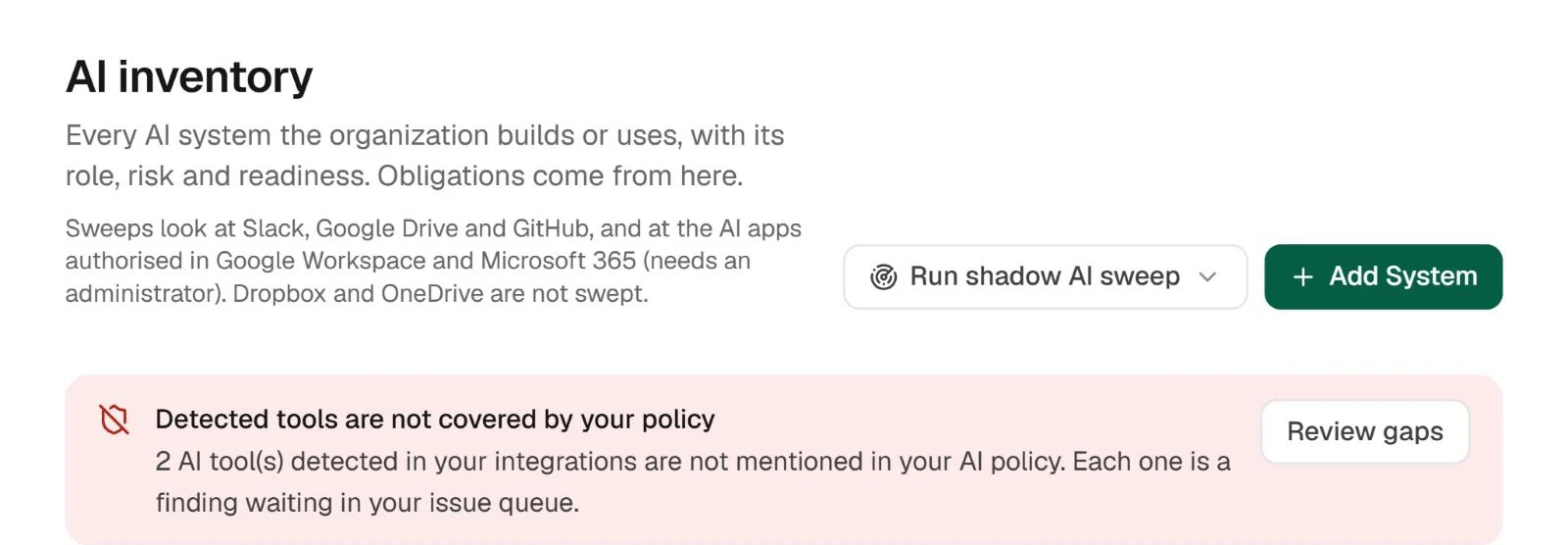
Connect supported sources and review the signals they expose. A library, an authorised app or a cloud resource can start the conversation with your team. Confirm its purpose before turning the clue into a registered system.
Result: a queue your team can confirm, dismiss or link.
Inventory and sweep entry point in the test workspace.
02
Where it came from is part of the answer.
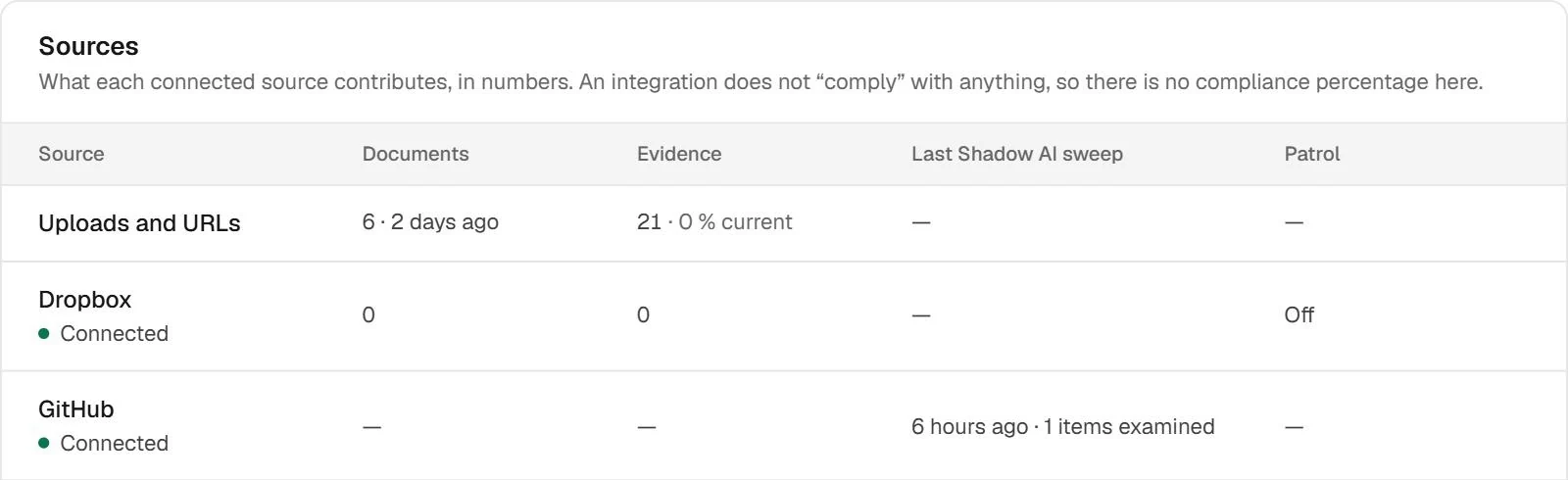
An isolated signal makes your team investigate again. The sources view brings together provenance and what each connection contributed, helping distinguish a source without findings from one that needs attention.
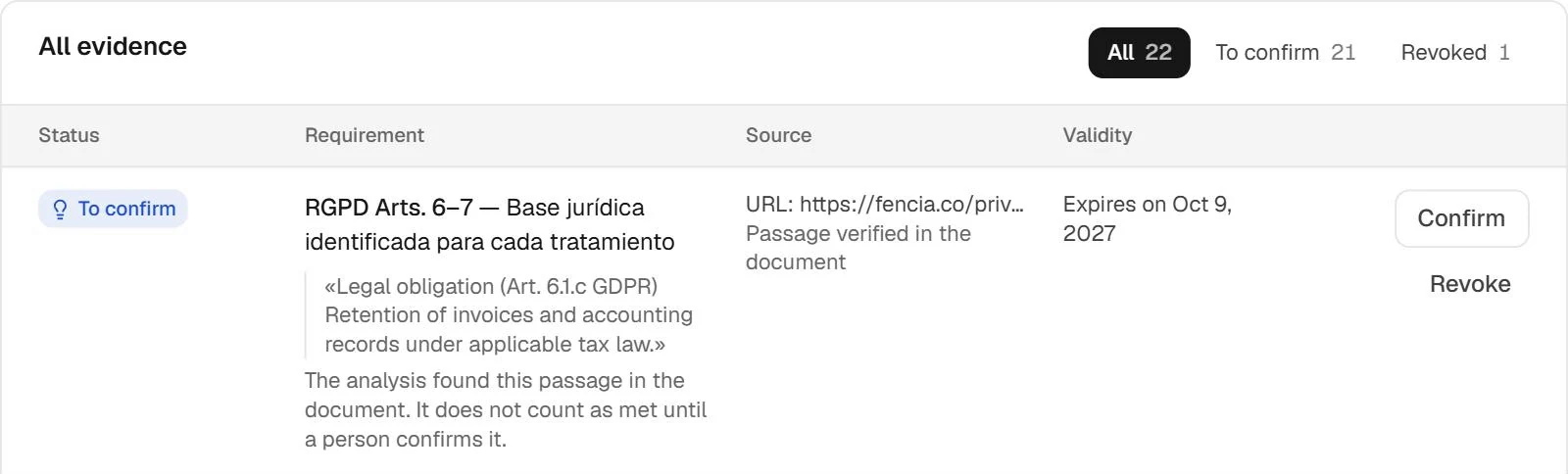
When someone else picks up the work, they need the source, context and available evidence. The library brings workspace material together for review without relying on scattered conversations or the memory of the person who started the case.

 Shadow AI / Daily sweep
 Live product
 Enlarge