
DOCUMENT ANALYSIS
Scan your documents against the EU AI Act
Upload a supported document, provide a public URL or choose an eligible connected file. Fencia returns possible findings against the EU AI Act requirements it covers, with source context for review.
 Analysis / ai-use-policy.pdf
 Live product
From a finding to its exact quote
Upload a policy and see its EU AI Act and GDPR gaps, passage by passage
Drop a document or paste a public URL. You get a summary and the possible findings, each with its article and the exact passage that raised it, ready for review.
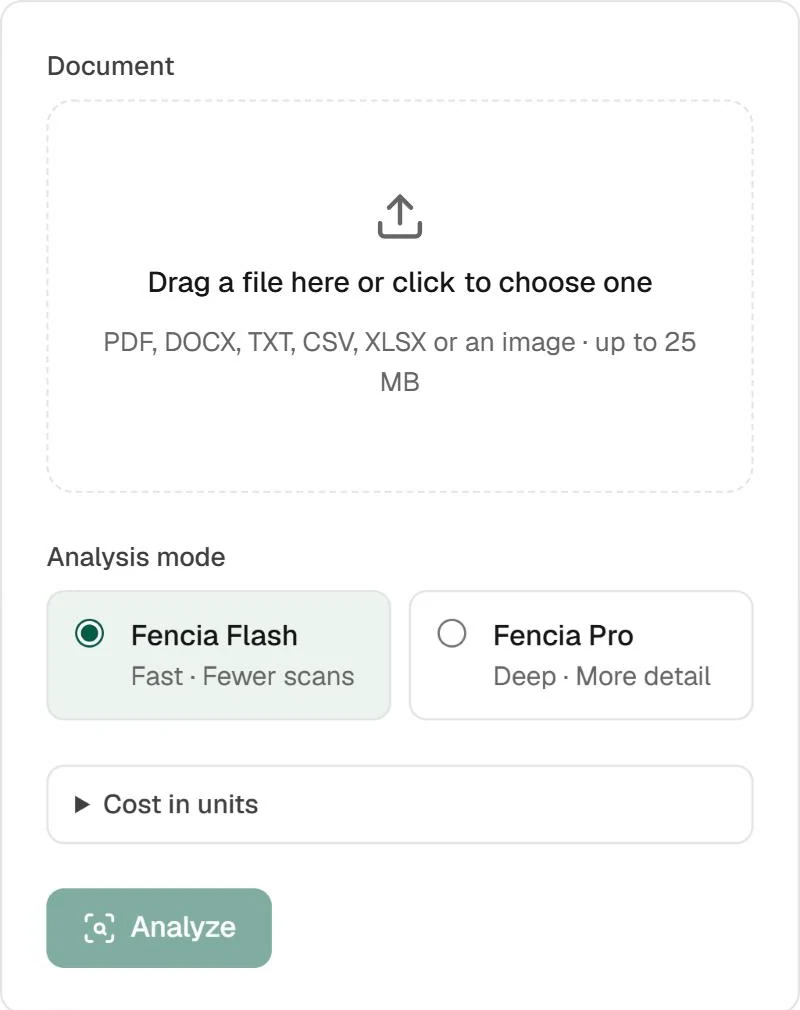
A file in, two depths to choose from
Fencia Flash gives you the main risks fast. Fencia Pro, from Team, reads clause by clause, up to 80,000 characters, for twice the credits. PDF, DOCX and TXT work on every plan; CSV, XLSX and images from Team.
If a document is longer than the analysis window, the result says how much was read
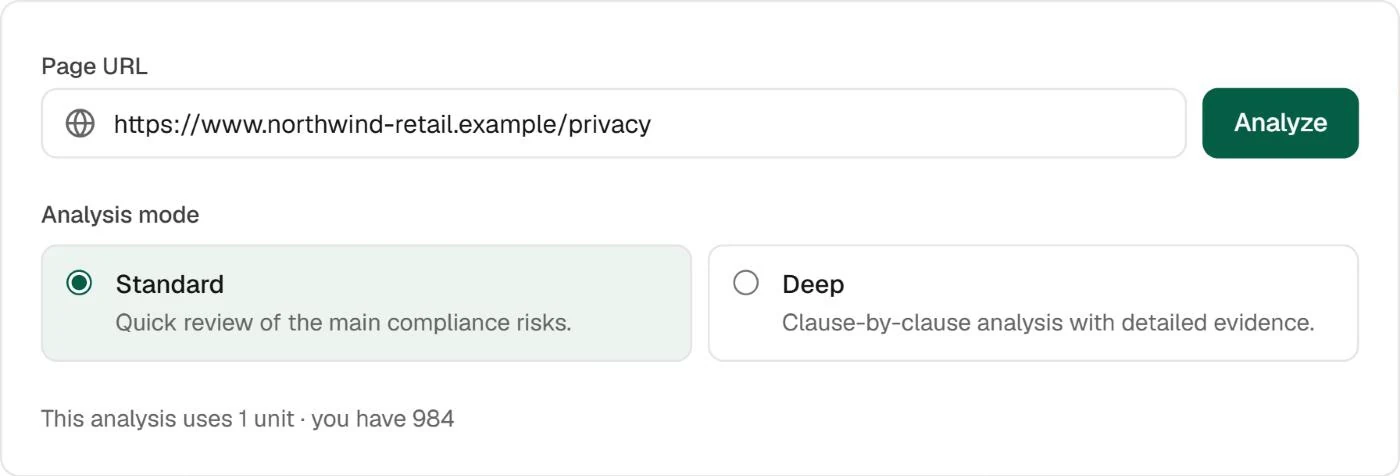
Or paste the URL of a public page
Privacy policies, AI notices or terms you already publish. Standard reviews the main compliance risks; Deep goes clause by clause with detailed evidence.
You see the units an analysis uses before you run it
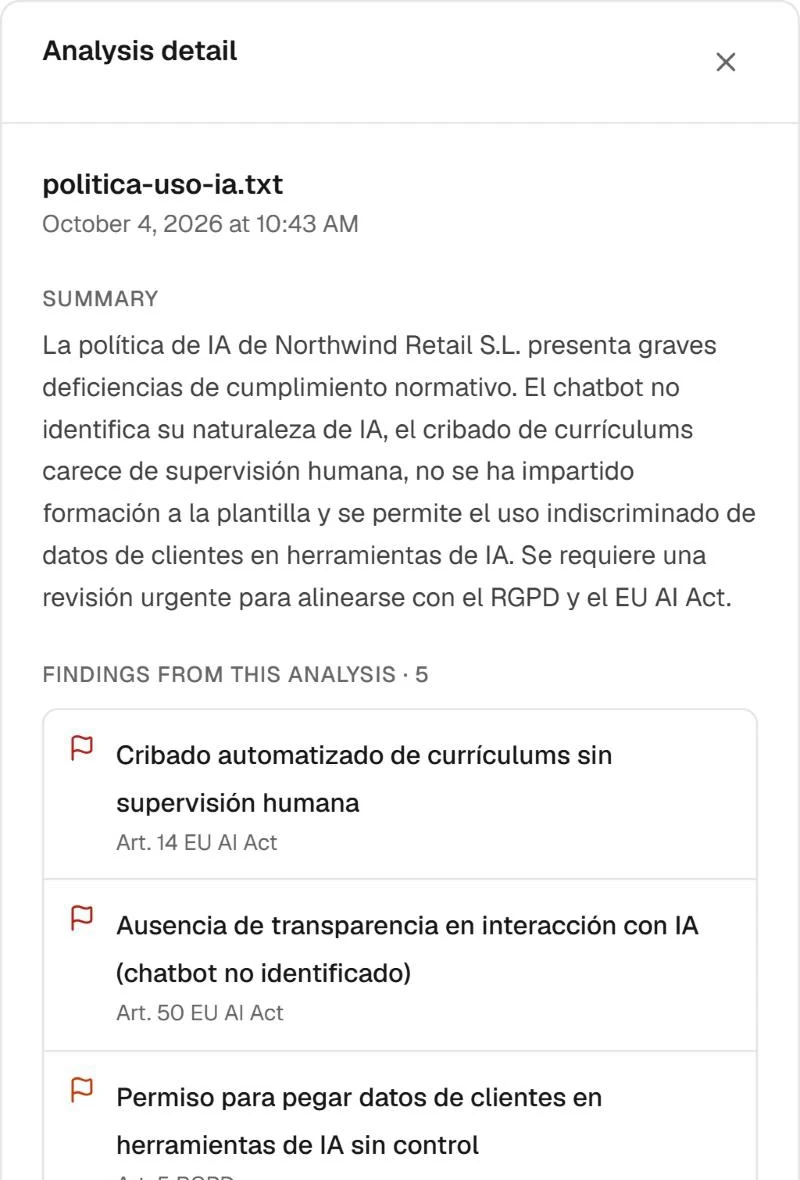
A summary, then every finding with its article
CV screening without human oversight, a chatbot that does not say it is AI, customer data pasted into AI tools, no AI literacy training: each finding names the article it maps to and opens on the passage that raised it.
Findings are possible gaps until a person reviews them
Real Fencia screens from a test workspace. Names and data are fictional.
Before you upload
Coverage is limited to the current requirement register; GDPR coverage is partial. Fencia keeps the analysis and its findings, not your original document, and it does not certify compliance.
Which files and sizes can I analyse?
PDF, DOCX and TXT on every plan, plus CSV, XLSX and images from Team. Files up to 5 MB on the free plan, 10 MB on Starter and 25 MB from Team.
Which frameworks does it check?
The EU AI Act requirements in Fencia's register and a partial set of GDPR obligations. Documents are not analysed against ISO/IEC 42001.
Can I analyse a web page?
Yes, from Starter: 15 URL analyses a month on Starter and 150 on Team.
Where is my data processed?
AI analysis runs in the EU (Microsoft Azure, EU data zone). Before each call, emails, phone numbers, ID numbers, IBANs, cards and keys are replaced with pseudonyms.
How many analyses are free?
The free plan includes 3 analysis credits a month. Fencia Pro uses twice the credits of Fencia Flash.
Analyse your first document
Upload an AI policy, a model card or a privacy notice and see its possible gaps, each with its passage. The free plan includes 3 analysis credits a month.